

7 Days to Die server hosting
7 Days to Die blends survival, crafting and building in an open world overrun by zombies. On your own server, team up to face the Blood Moon hordes.
4.8/5 · 892 reviewsBuilt for 7 Days to Die
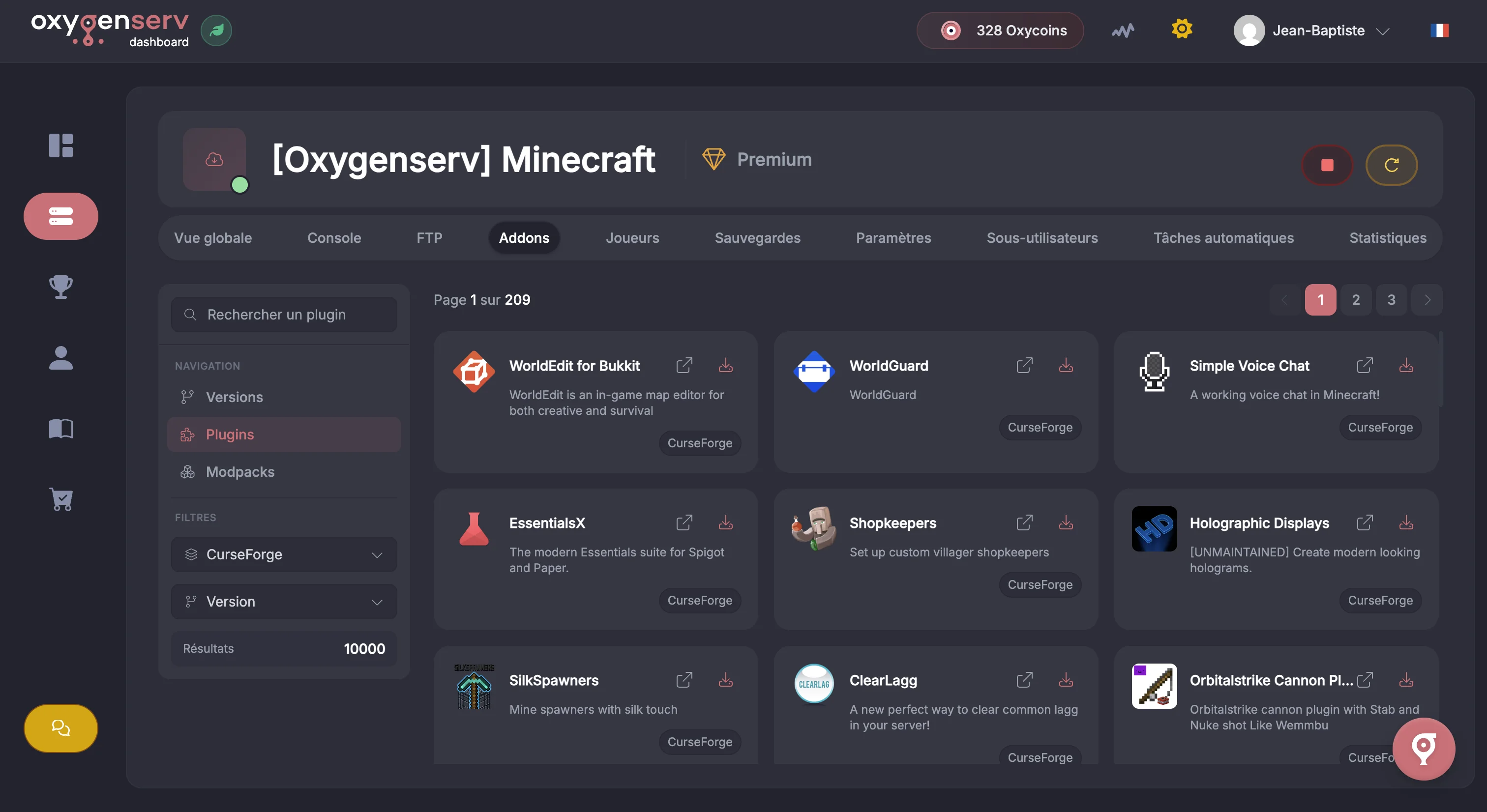
Overhauls and modlets
- Darkness Falls
- Undead Legacy
Your progress, kept safe
A backup every day, restorable in one click from the panel.
No slot limit
Invite as many players as your plan's power allows.
01Durationcheaper over time
02Processorbalanced for playing with friends
03Datacenterclose to your players

Eco
Ideal for up to 6 players
- 2 vCPU EPYC 7543P
- 4 GB RAM DDR4
- 30 GB NVMe
- Online in under 2 minutes
- Anti-DDoS
- Daily backups
- 24/7 support
 Manage your server from Discord
 Hosted in Nanterre, France

Standard
Ideal for up to 15 players
- 3 vCPU EPYC 7543P
- 8 GB RAM DDR4
- 30 GB NVMe
- Online in under 2 minutes
- Anti-DDoS
- Daily backups
- 24/7 support
- Manage your server from Discord
- Hosted in Nanterre, France

Premium
Ideal for up to 30 players
- 5 vCPU EPYC 7543P
- 12 GB RAM DDR4
- 50 GB NVMe
- Online in under 2 minutes
- Anti-DDoS
- Daily backups
- 24/7 support
- Manage your server from Discord
- Hosted in Nanterre, France

Power
Ideal for up to 80 players
- 6 vCPU EPYC 7543P
- 20 GB RAM DDR4
- 50 GB NVMe
- Online in under 2 minutes
- Anti-DDoS
- Daily backups
- 24/7 support
- Manage your server from Discord
- Hosted in Nanterre, France
No commitment · Satisfied or refunded within 24h
Prices include VAT, no commitment: you can stop at any time.
Why Oxygenserv
Your 7 Days to Die
server, hassle-free.
No drop-outs mid-game.
Anti-DDoS protection up to 4 Tbps on every server: attacks are filtered before they reach your players.
Oxygenserv exclusive
An AI assistant that knows your server
Oxy reads your logs, spots what is wrong and suggests the fix, any time of day.
Need help? I know your server inside out. 💡
My server is lagging 😫
I analyzed your logs, RAM at 94%.
Config optimized. Lag fixed ✅
Thanks! What about backups?
Daily backup active. Last one: 3h ago 🛡️
Included for free
100%
Our infrastructure uses 30% less electricity than the average host, for the same performance.
No lag, even with a crowd
AMD EPYC CPUs, NVMe SSDs and a datacenter in France: low ping and no lag when everyone is online.
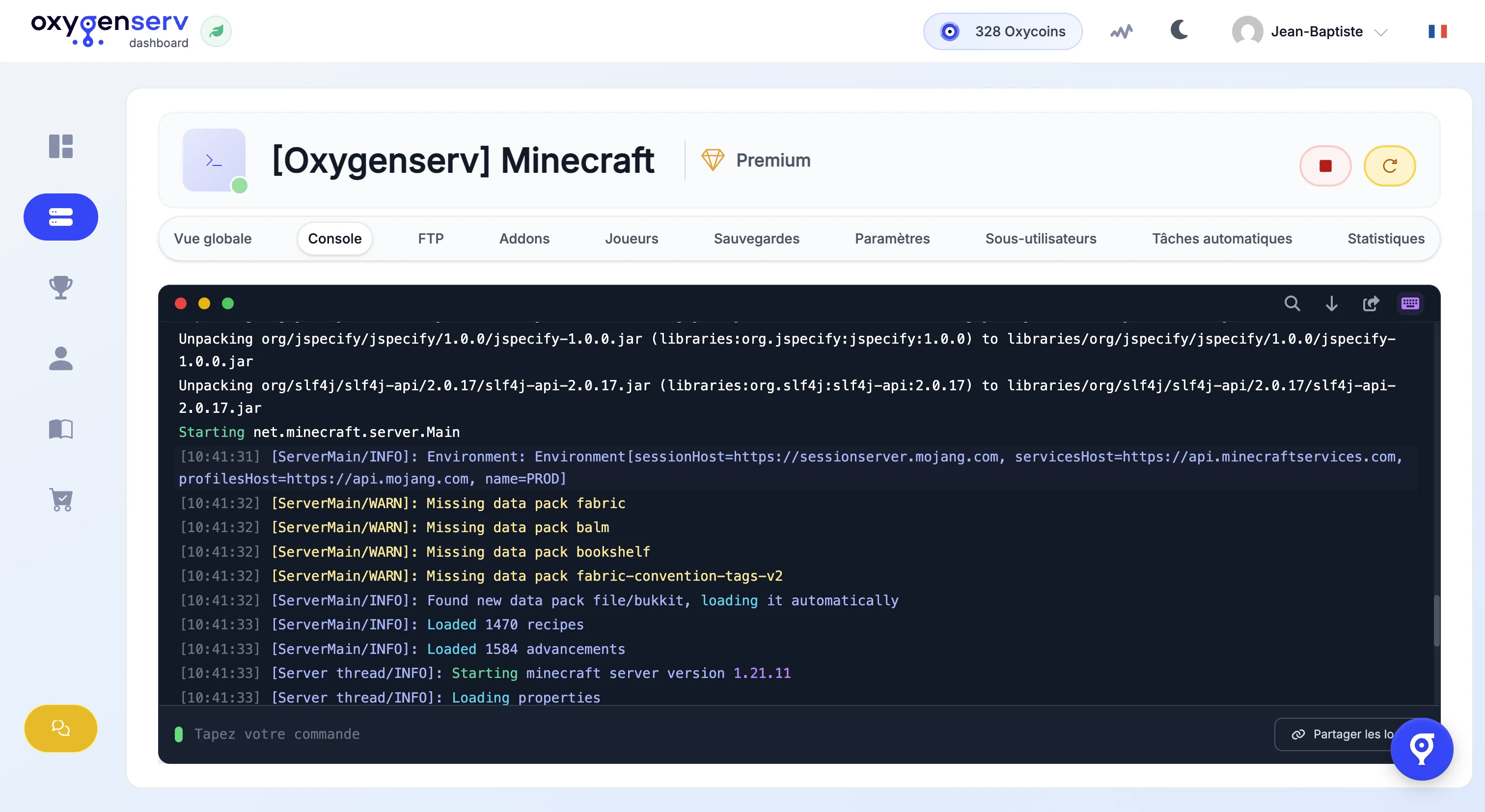
Mods and plugins in one click
Install mods, manage backups and monitor your server from a simple panel, no command line needed.
Online in under 2 minutes
Your server sets itself up right after payment. You get its address and your friends can join straight away.
Performance
7 Days to Die hosting that stays smooth, even when everyone is playing.
Your server runs on AMD EPYC 7543P CPUs, NVMe Gen4 SSDs and a protected 1 Gbps network. The result: fast loading and no lag at peak times.
CPU
EPYC
7543P
AMD ZEN 3
RAM
DDR4
3200MHz
ECC
Storage
NVMe
Gen4
SSD
Network
Network
1Gbps
ANTI-DDOS GAME
Commitment
Less energy, just as much play.
Leaner hosting, with nothing taken away from performance.
Our ecological commitment →No AC
No air conditioning
Our servers are cooled by a natural free cooling system, without energy-intensive air conditioning.
-30%
CO₂ vs competitors
Our infrastructure emits 30% less CO₂ than traditional hosts thanks to continuous optimization.
Green
Renewable energy
Our datacenters prioritize renewable energy sources to power our servers.
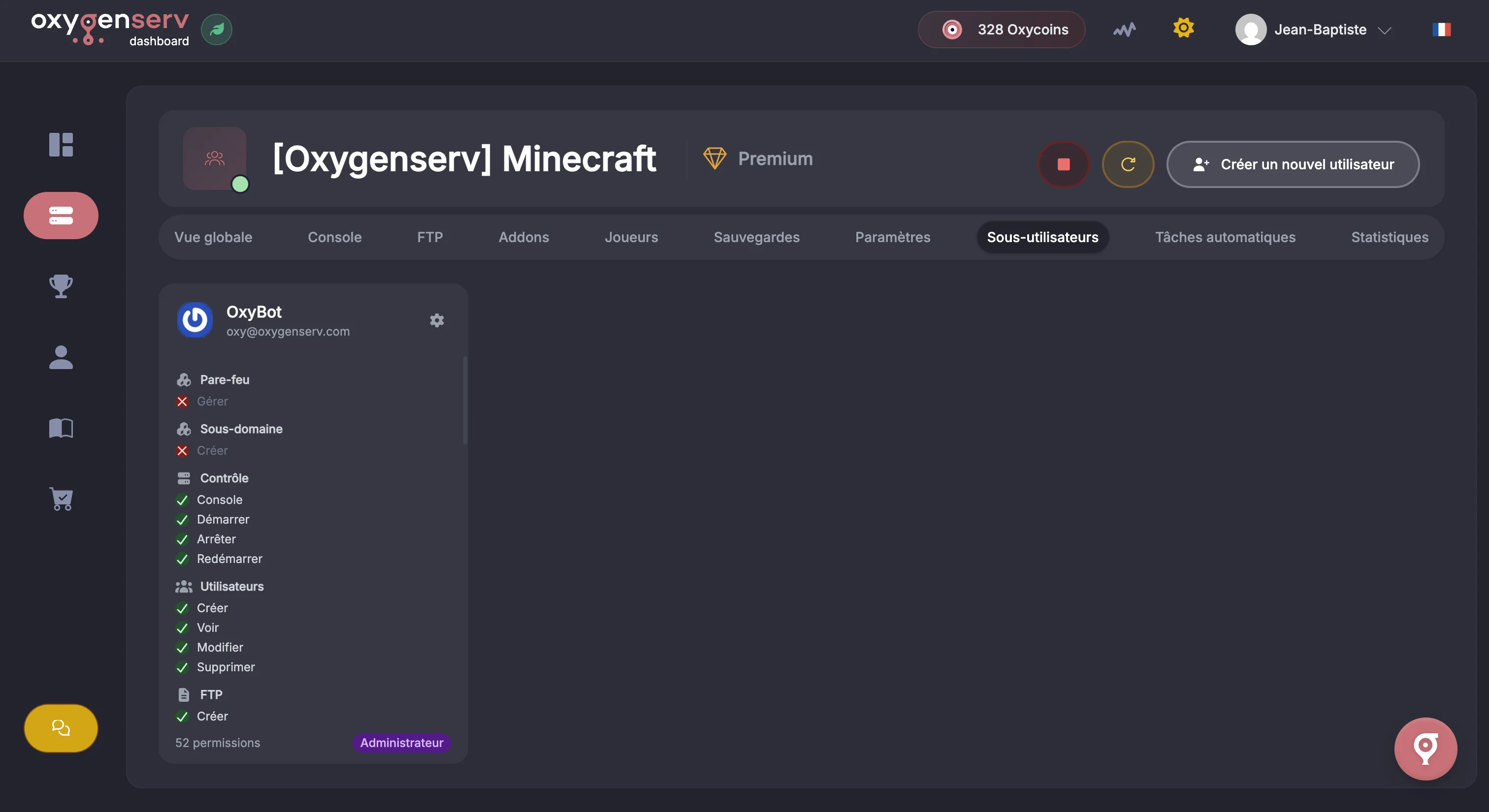
Management panel
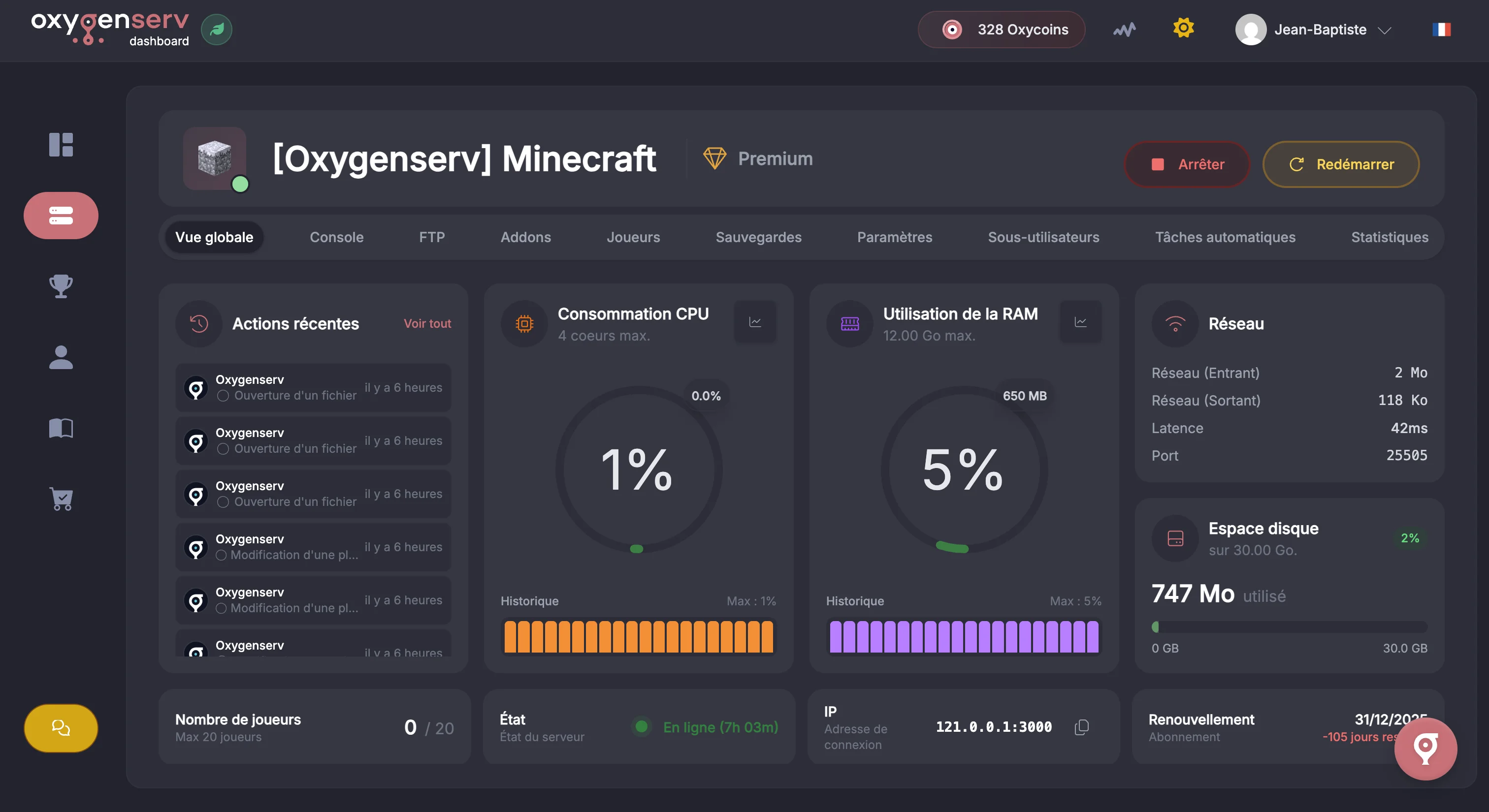
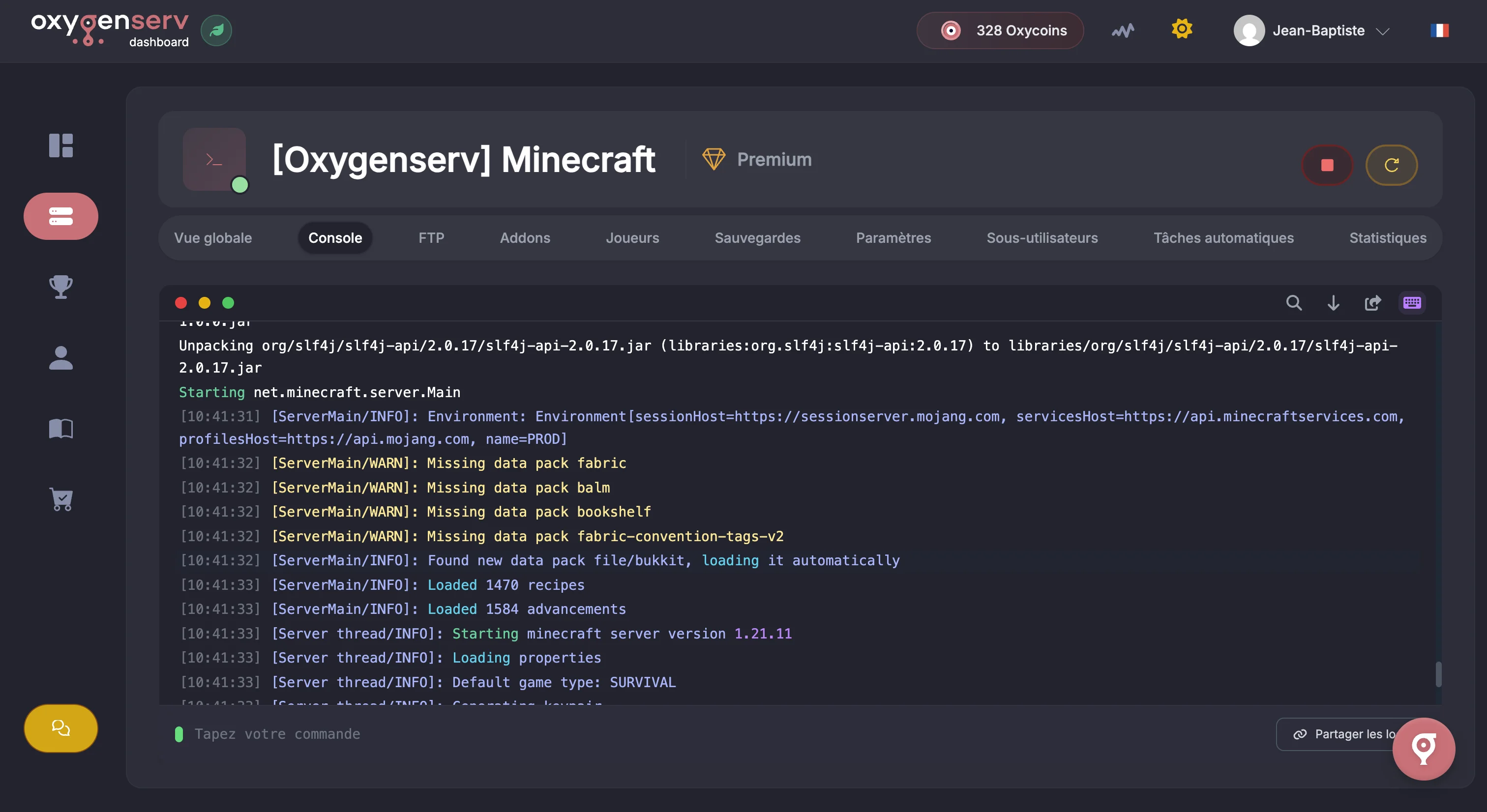
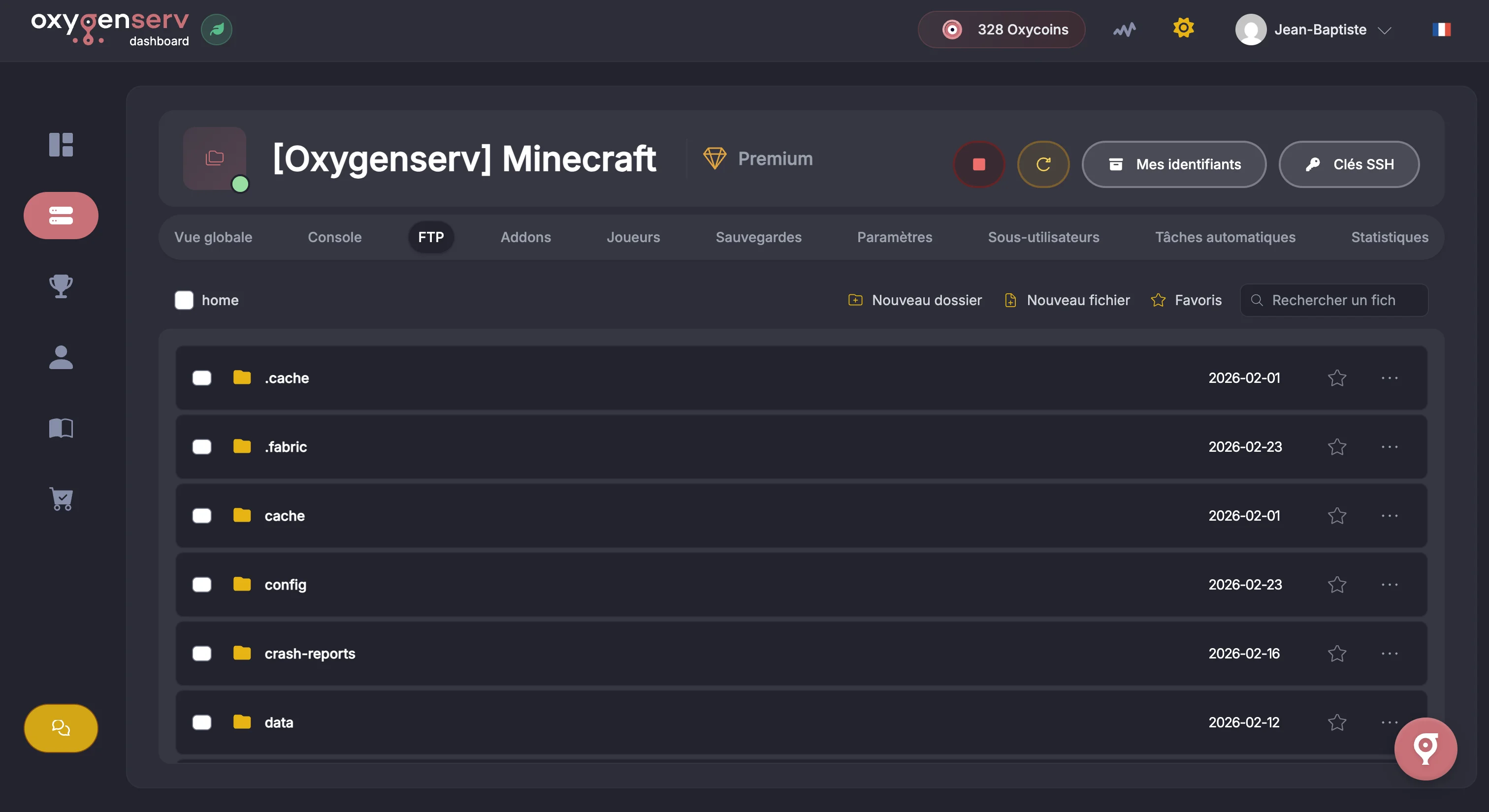
Manage your 7 Days to Die server in a few clicks.
Everything is managed from a panel built for players: no sysadmin skills needed.
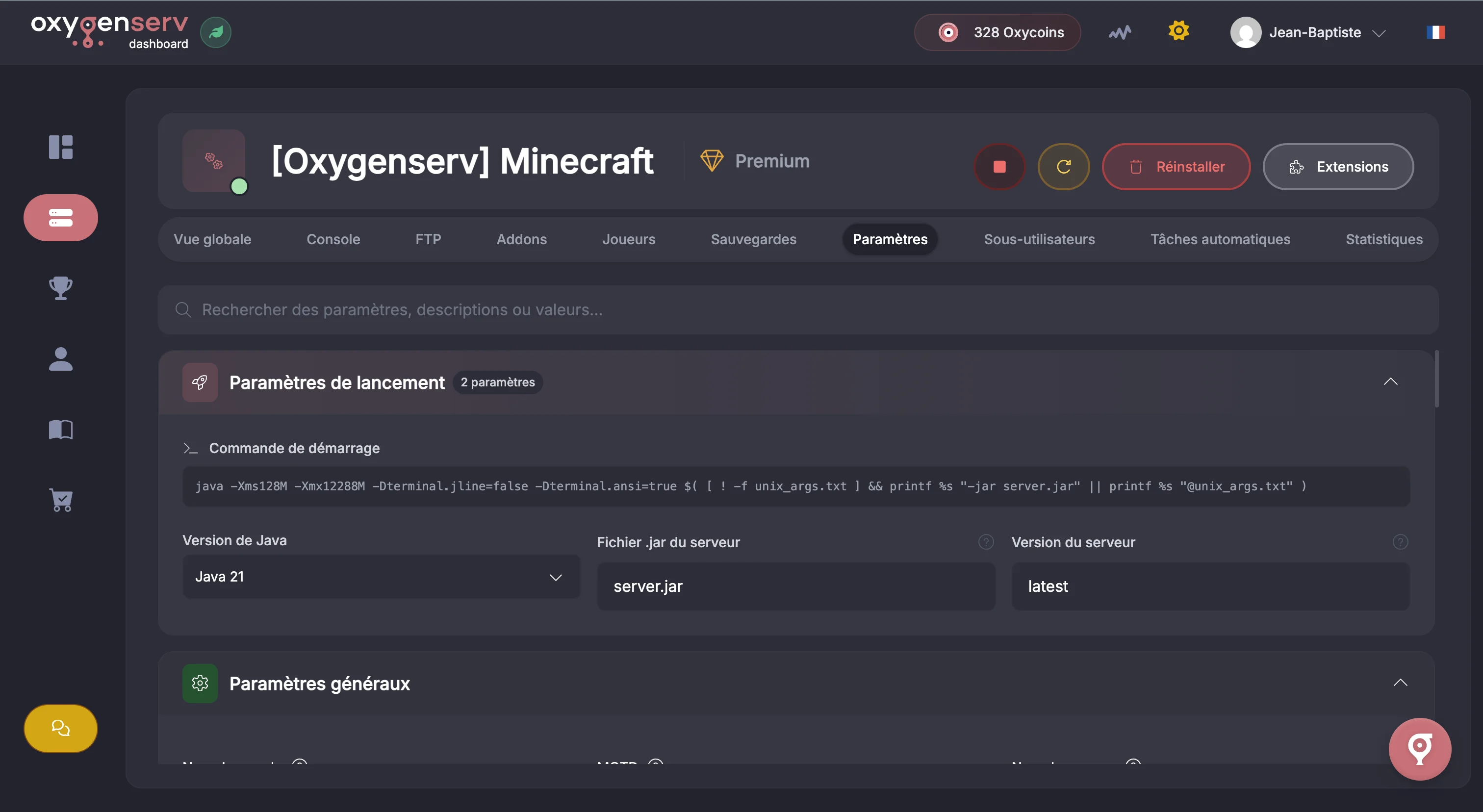
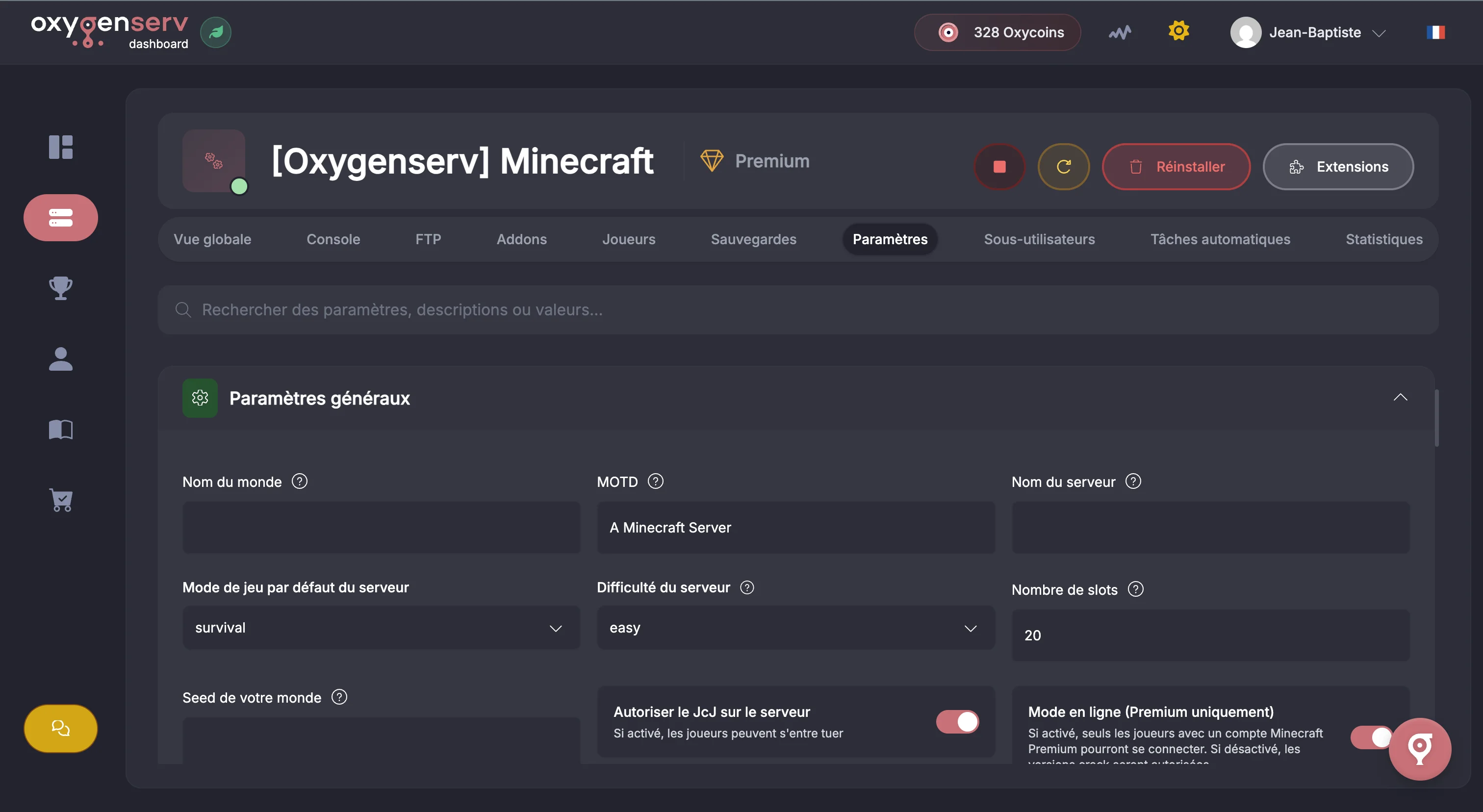
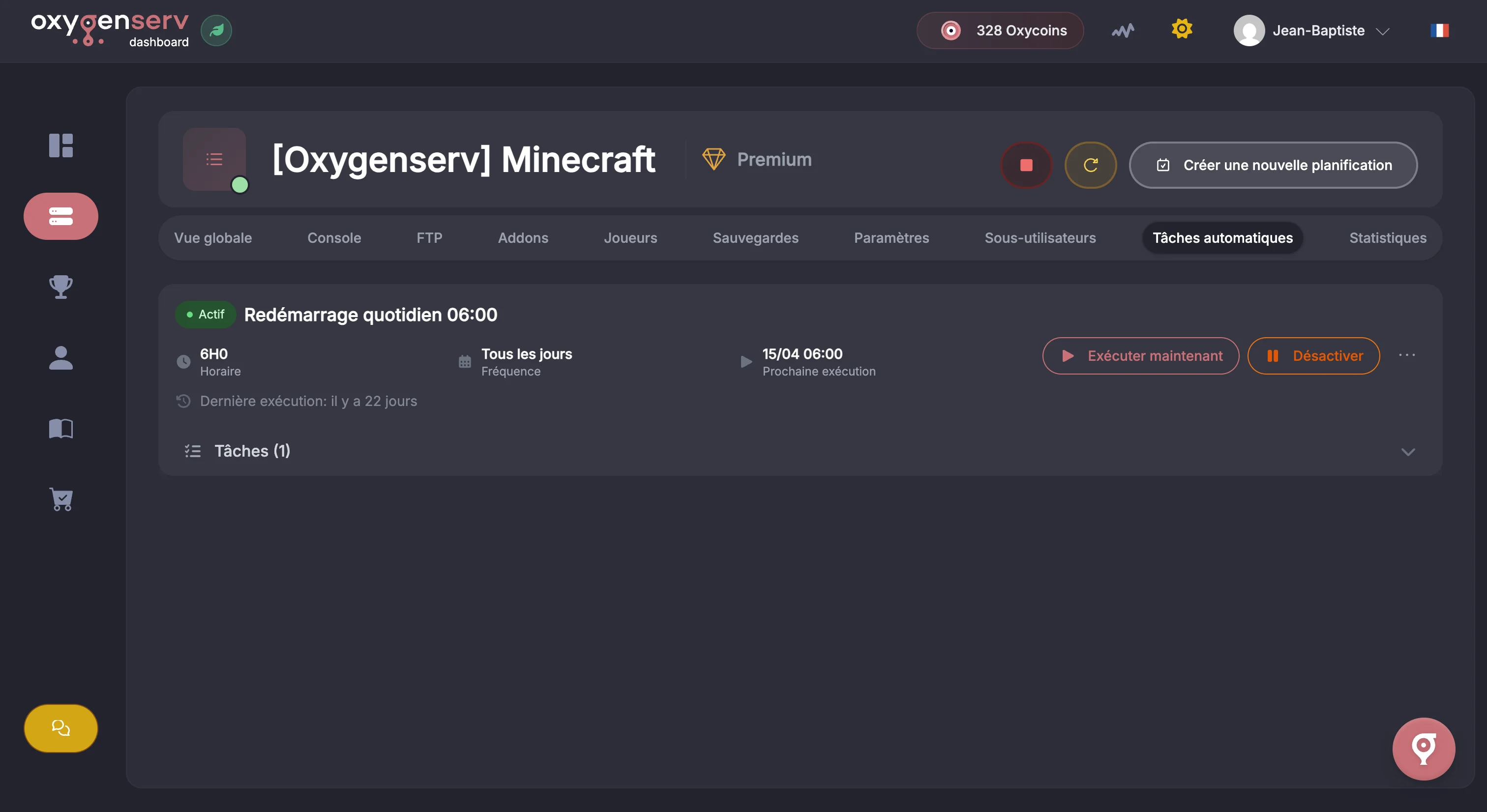
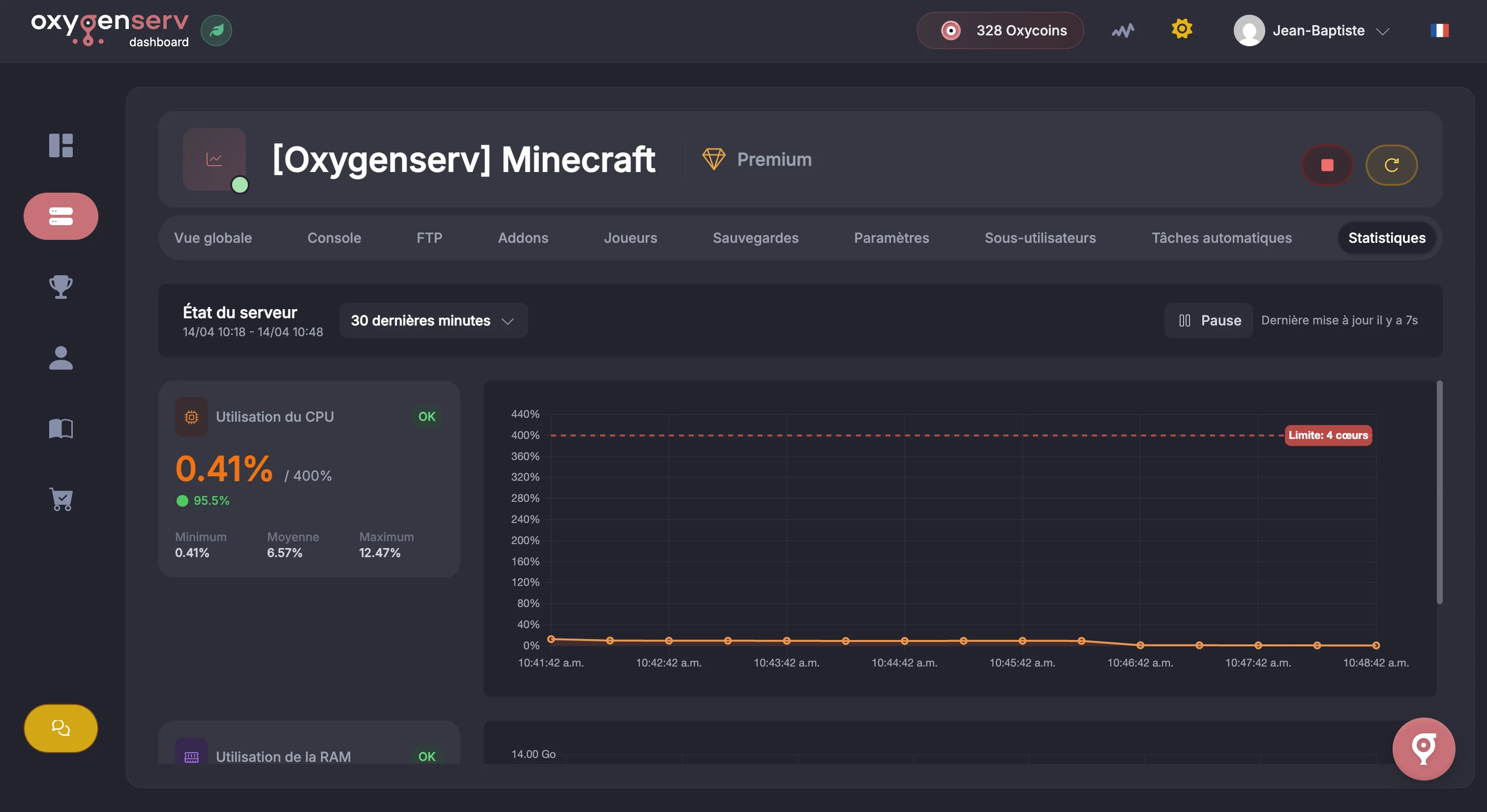

Change plans anytime
Community growing? Move up to a bigger plan in one click, without losing your data.

Step-by-step guides
Installing a mod, adding an admin, importing a world: our tutorials walk you through every step.

Live monitoring
CPU, memory, players online: you see right away if your server needs more resources.

Switch games
Fancy another game? Switch from one to another in a click, on the same server.

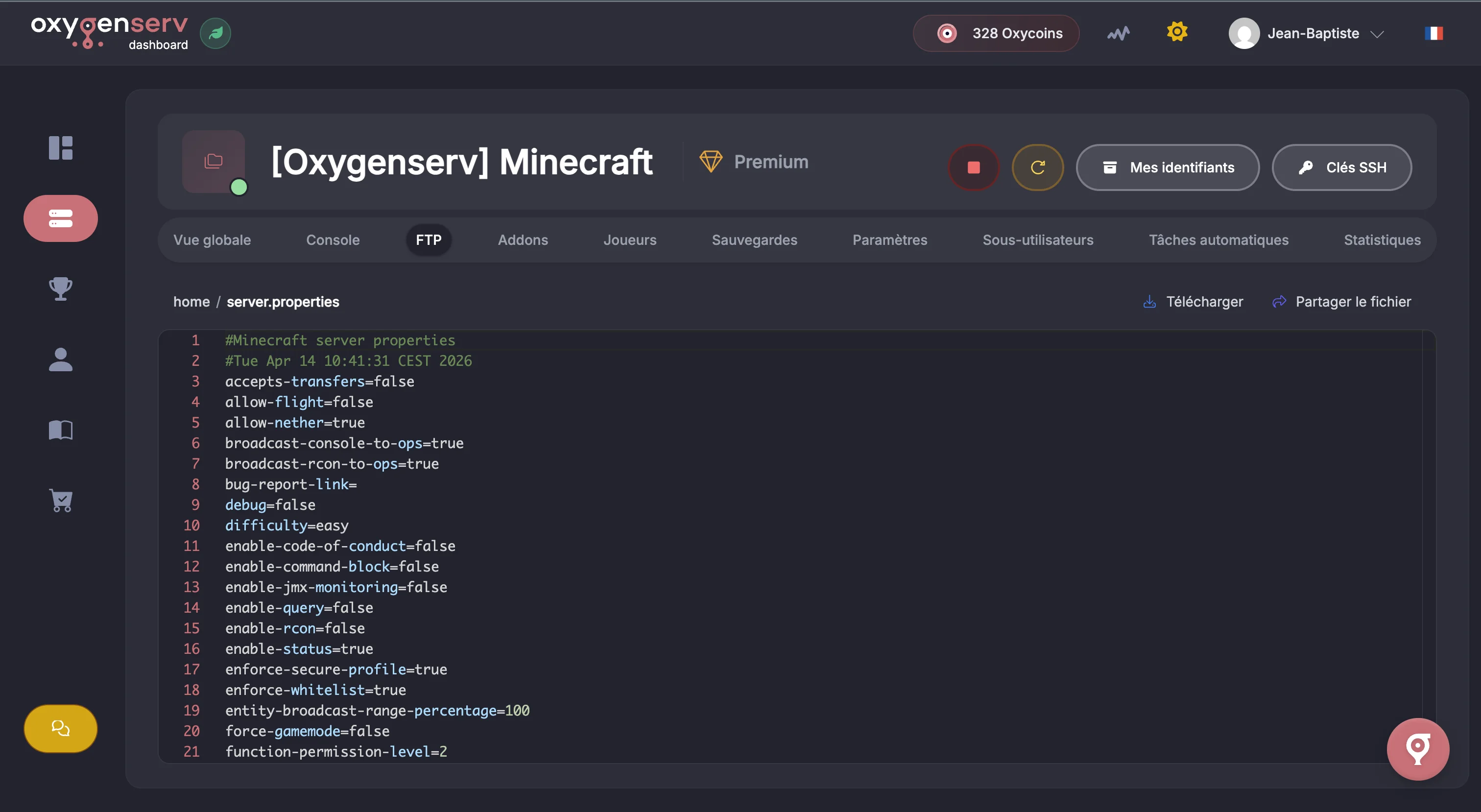
Your files in the browser
Edit your configs and upload mods online, no FTP client needed.

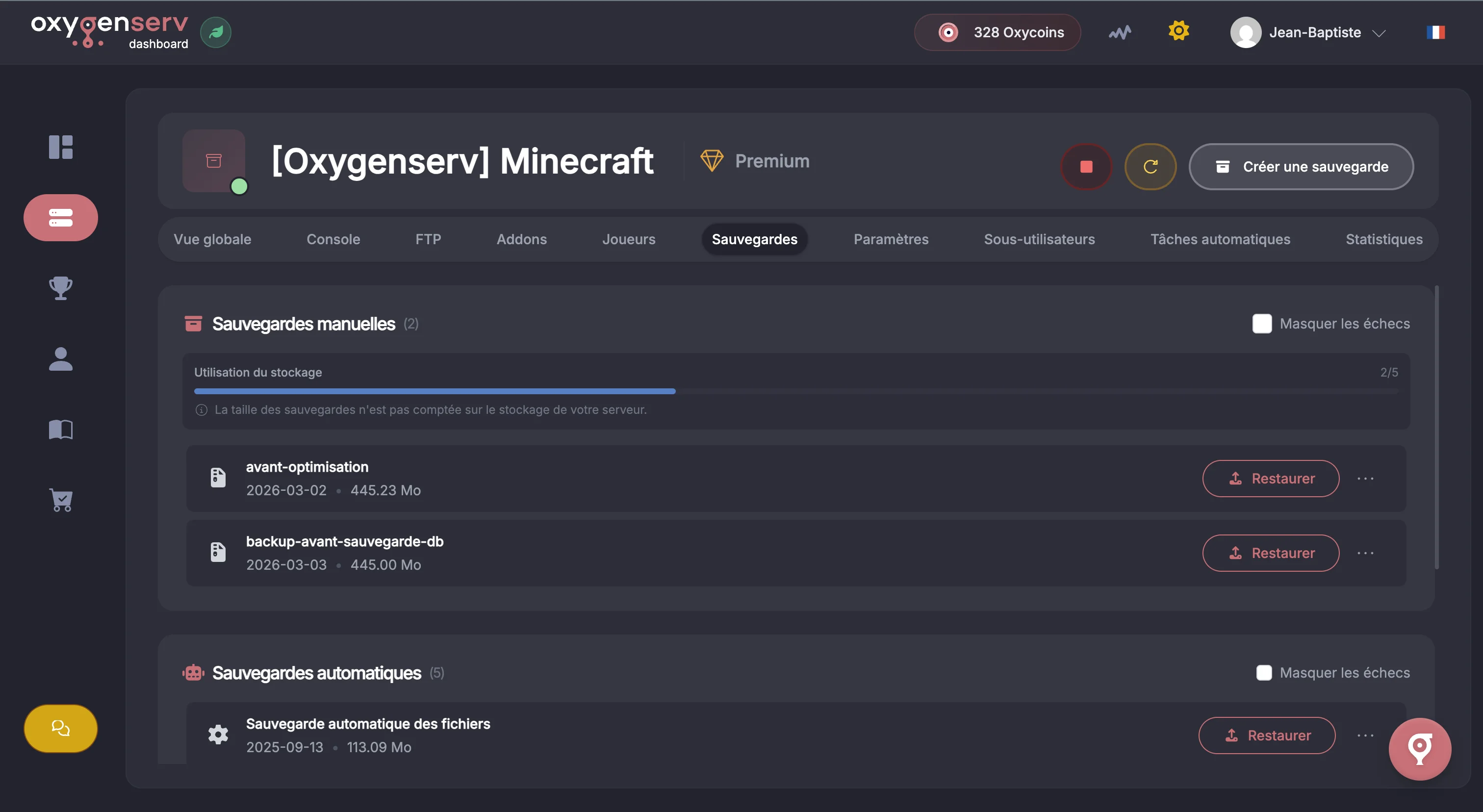
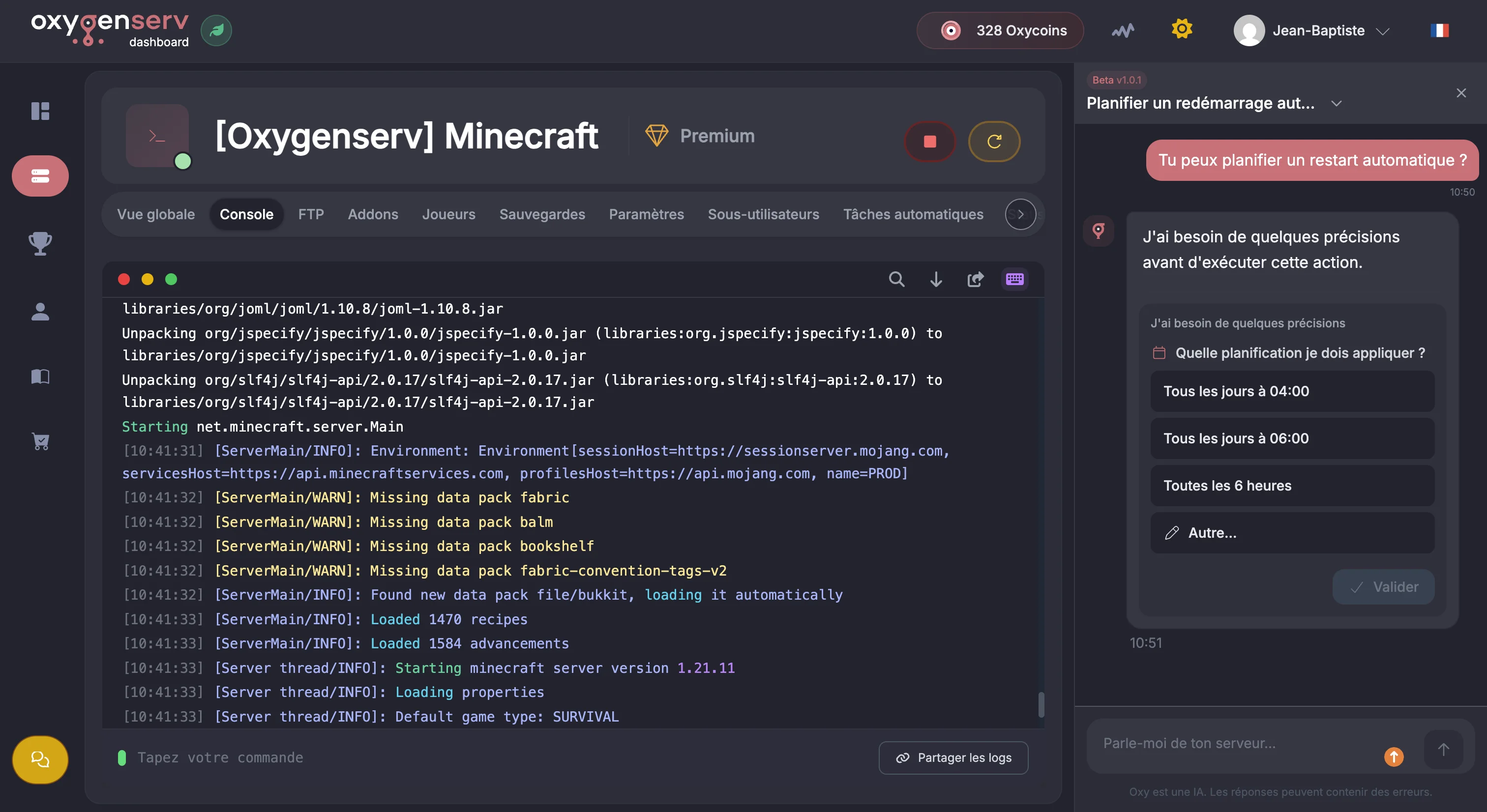
Automatic restarts and backups
Schedule a nightly restart or regular backups, and the server takes care of it.

Console and logs
Type commands and read live logs to see what is going on.

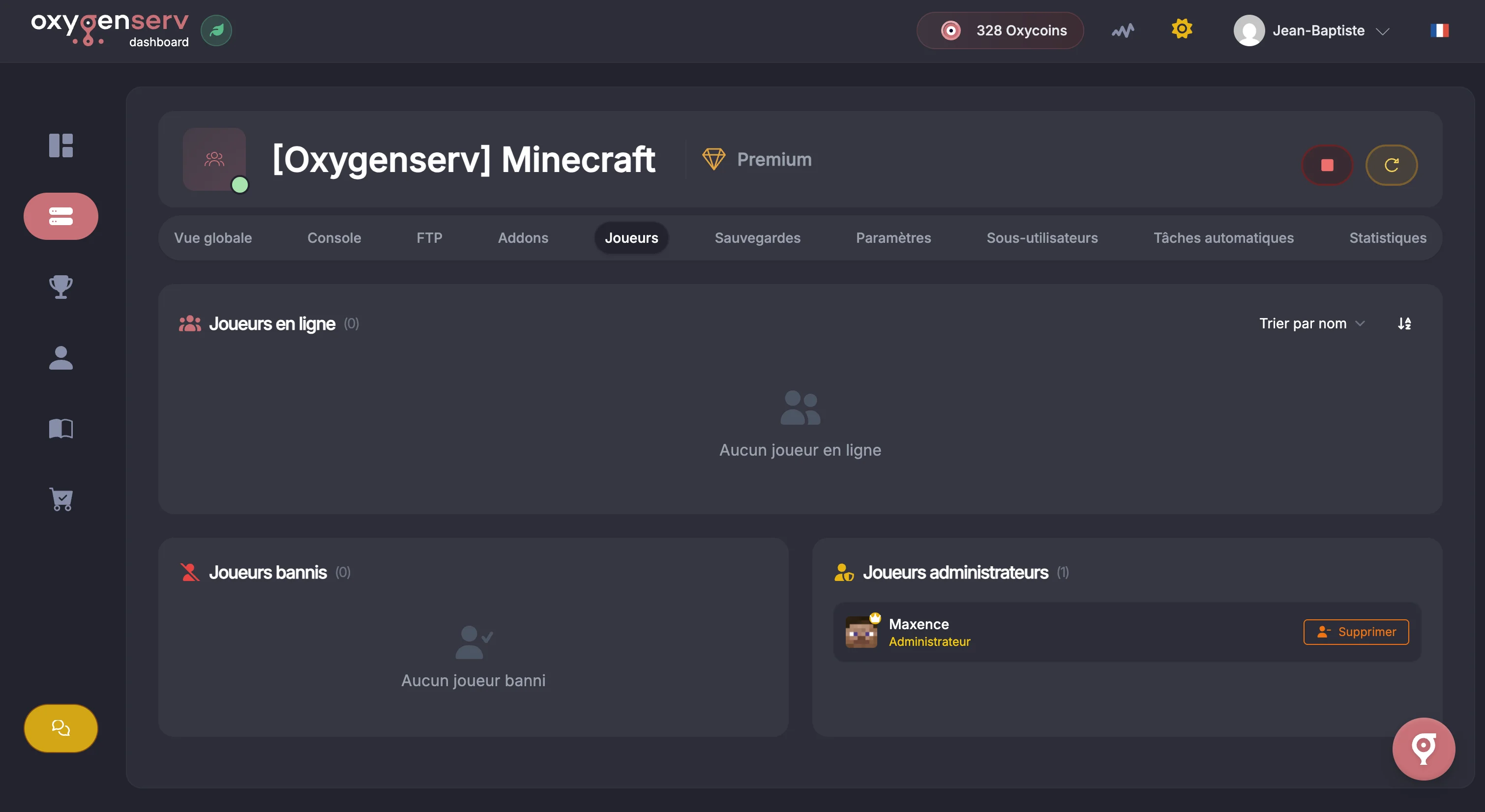
Your admins, your rules
Give your moderators access, with only the rights they need.

And it gets better every month
We regularly add new features, based on your feedback.
Your 7 Days to Die server host
Our guides for your 7 Days to Die server<3


How do I install a 7 Days to Die server on 1.0?
7 Days to Die 1.0 has been available to install on the experimental branch since 24 June. Follow these two simple steps to start your adventure on one of the game's biggest updates! Prerequisites Before you start, make sure you have a server to run the game. Our 7 Days to Die server packages allow…
Read article
How can I add administrators to my 7 Days to Die server?
Managing a game server can be a complex task, but with the right tools and instructions, it becomes much easier. Here's how :) Prerequisites A 7 Days to Die server with version Alpha 20.4 or higher. Our offers allow you to create a 7 Days to Die server in just a few seconds. To begin with, you…
Read article
How do I connect to a 7 Days to Die server using Telnet?
Connecting to a 7 Days to Die server via Telnet enables advanced server management. Here's a step-by-step guide to help you through the process. Access your Oxygenserv account :Log on to our Dashboard (or your supplier's solution) Select the desired server. Retrieve information from the server…
Read article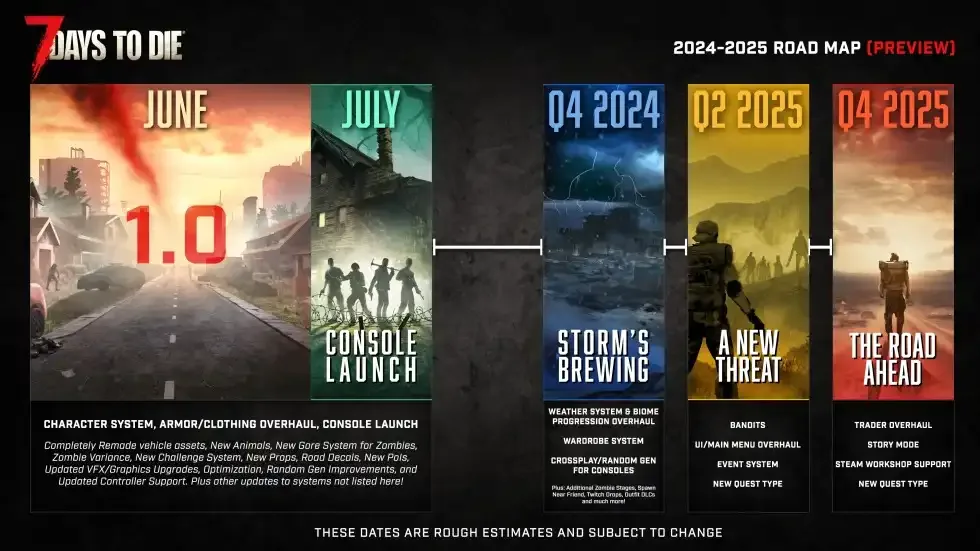
7 Days to Die 1.0: All the information you need to know
First-person zombie survival game "7 Days to Die" is finally leaving early access to become a fully released title. Twelve years after the launch of its alpha version, version 1.0 of the game is about to see the light of day. Here's everything you need to know about the long-awaited "7 Days to Die…
Read article