








01
Several servers on one machine
A Minecraft server, a voice server and a bot on the same VPS: you split the resources as you like. Your machine, your happy mess. 😄
Virtual private server
A real KVM virtual machine with root access, to install whatever you want: several game servers, a Discord bot, a voice server. Linux or Windows, your choice. 🎮
01Durationcheaper over time
02Datacenterclose to your players
VPS Game G8
VPS Game G16
VPS Game G24
VPS Game G32
Prices include VAT, no commitment: you can stop at any time.
Why a Game VPS
You get root (Linux) or Administrator (Windows) access on delivery. You install what you want, open the ports you need and restart whenever it suits you, with no ticket and no permission to ask for. With great power… you know the rest. 🕷️
From the manager
Pick an app when you install the system: it is deployed and its ports are opened in the firewall.

FiveM

LinuxGSM

TeamSpeak

Mumble

Docker

Node.js

Python

Portainer

WireGuard

Uptime Kuma

Nextcloud

Grafana
1 IPv4
An address of your own: your players connect directly, on the ports you open.
Your own kernel and your own system, without restrictions. You pick Linux or Windows at checkout, and you can change it from the manager.
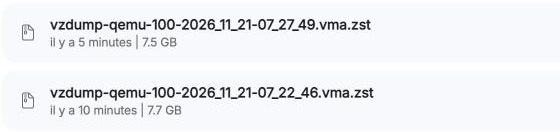
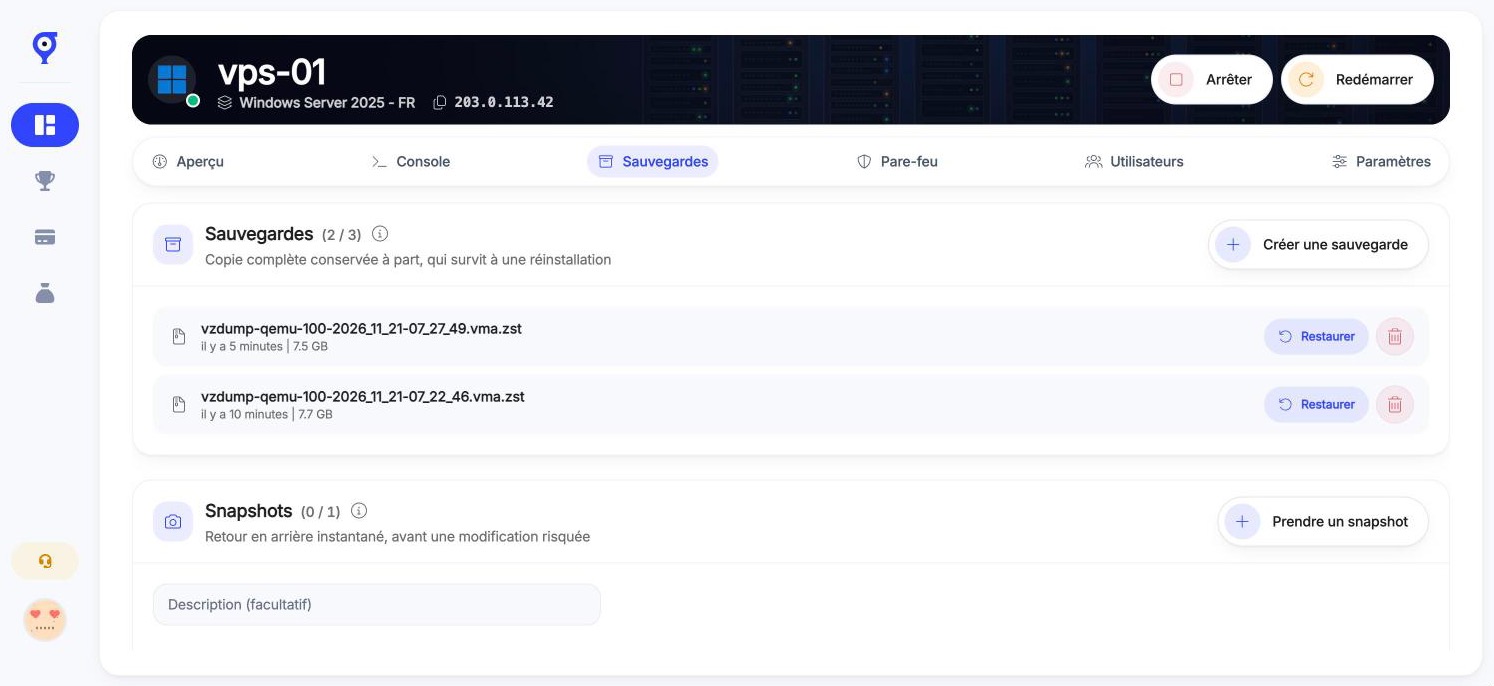
Back up before an update and restore from the manager. How many you get depends on the plan.
Your VPS is created as soon as the payment is confirmed, with the system you picked.
Use cases
01
A Minecraft server, a voice server and a bot on the same VPS: you split the resources as you like. Your machine, your happy mess. 😄

02
Stay in control of your resources, your database and your restarts.
03
If the game ships a dedicated server for Linux or Windows, you can install it.
04
Discord bot, community website, database: everything runs around the clock.
05
TeamSpeak or Mumble, next to your game servers.
06
Take a snapshot, try an update or a mod, roll back if it breaks.
VPS manager
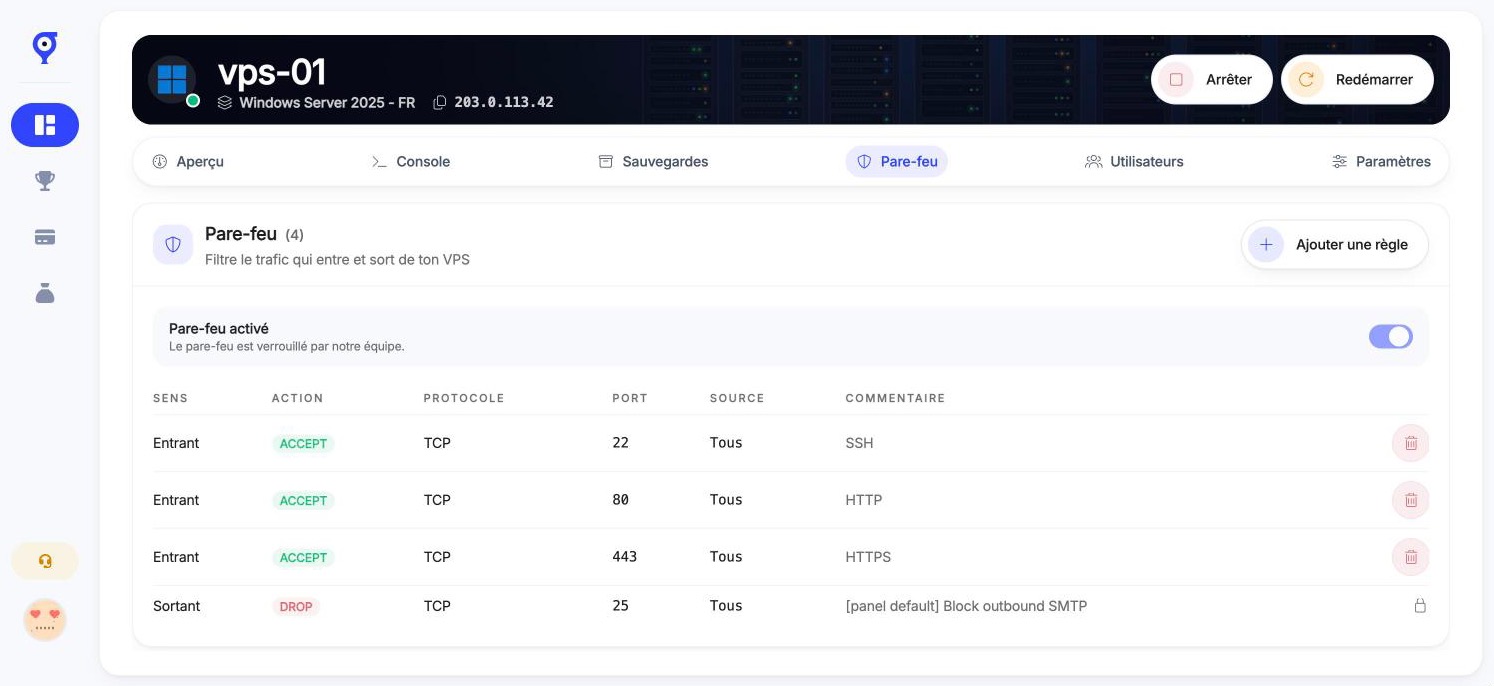
Everything is driven from your Oxygenserv dashboard, without going through support.
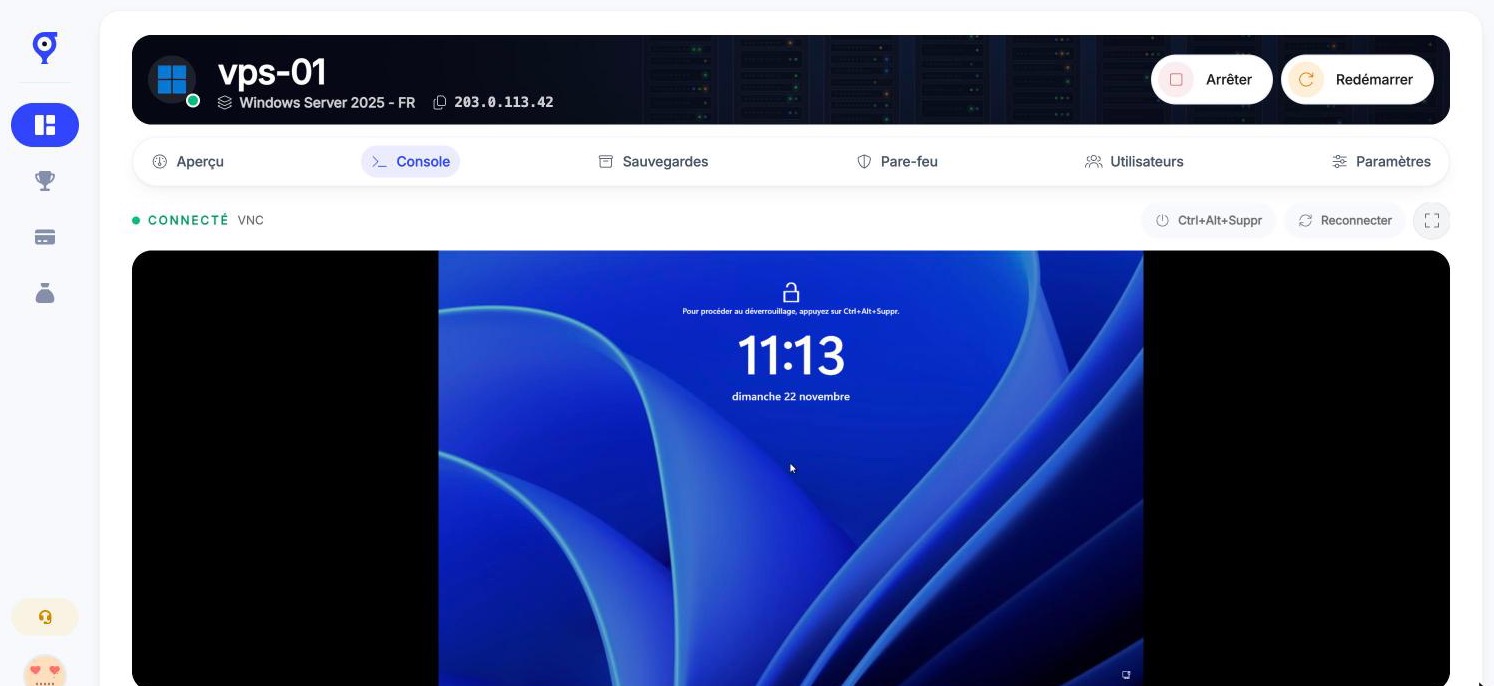
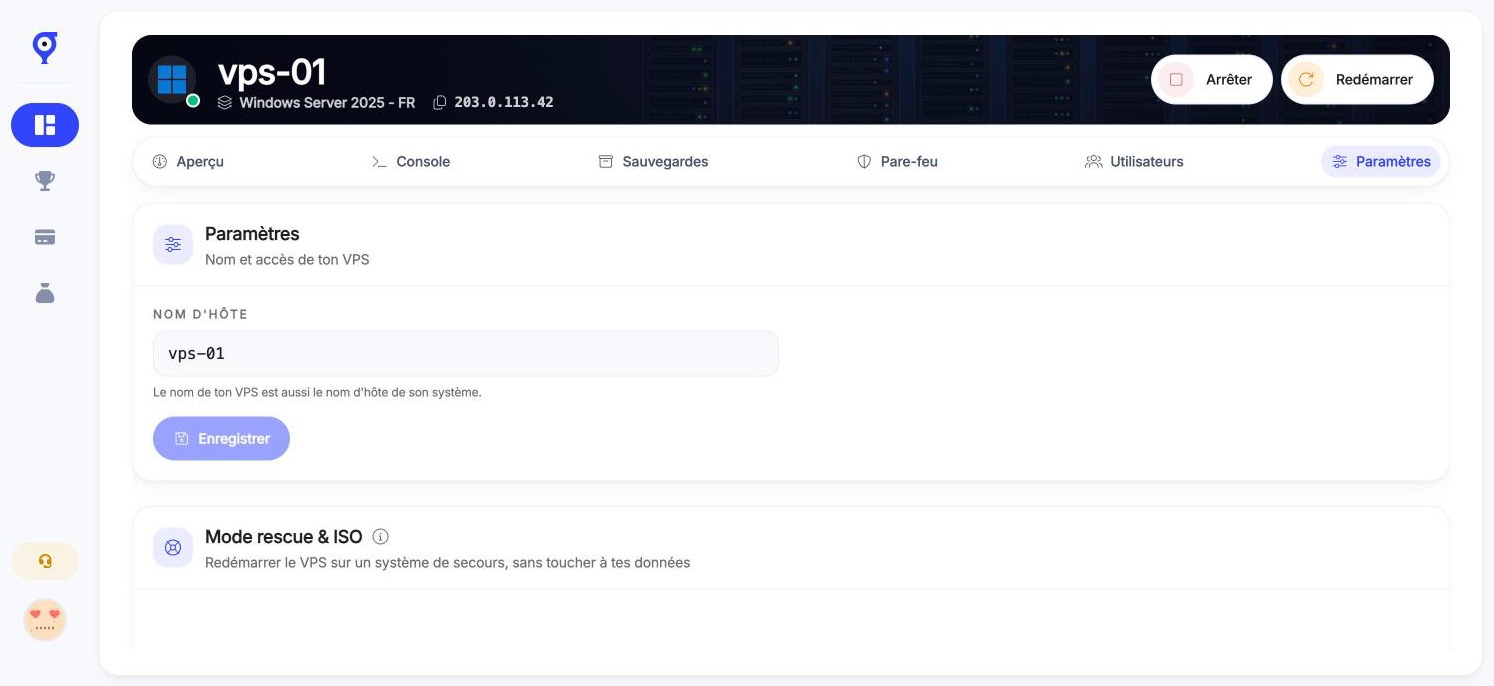
Get back into your VPS even when SSH no longer answers.
Open only the ports your games need, by protocol and source address.
Back up before an update and restore from the manager. The number depends on the plan.
Switch distribution or start again from a clean install whenever you want.
CPU, memory, network and disk: spot a server running out of room before your players do.
Give your co-admins access with precise permissions, without sharing your account.
Add your SSH keys and reset the root password from the manager.
Automate your actions and keep track of who did what.
One-click apps
Pick an app when you install the system: it is deployed and its ports are opened in the firewall.
A FiveM server managed with txAdmin, which asks for your Cfx.re key during setup.
From 4 GB of RAM
Any server from the LinuxGSM catalogue (Rust, CS2, Valheim, ARK, Terraria…).
From 2 GB of RAM
A TeamSpeak 3 server (free licence up to 32 slots), started at boot.
A Mumble server: free, lightweight, low-latency voice chat.

WordPress with its MariaDB database, installed and ready to use.
From 1 GB of RAM

Nginx, PHP-FPM and MariaDB with a database already created, to host your PHP sites.
From 1 GB of RAM
Docker Engine and the Compose plugin, from the official repository.
Docker with Portainer, a web interface to manage containers, images and stacks.
From 1 GB of RAM

A self-hosted alternative to Heroku and Vercel: deploy apps, databases and sites from Git.
From 2 GB of RAM
Node.js LTS with PM2 to keep your bots and APIs running across reboots.
Python 3 with venv and pip, and Supervisor to keep bots and scripts running.

A lightweight self-hosted Git service with issues, pull requests and CI.
From 1 GB of RAM

Workflow automation (webhooks, Discord, APIs, AI), a self-hosted alternative to Zapier.
From 1 GB of RAM

Local AI models with Ollama and a ChatGPT-like web interface. Runs on CPU, so pick a large plan.
From 8 GB of RAM
Your private cloud for files, calendars, contacts and sharing, with MariaDB and Redis.
From 2 GB of RAM

A password manager compatible with the Bitwarden apps. Requires a domain name.
Your personal WireGuard VPN, with a web interface to create clients and QR codes.
Uptime monitoring for your sites and servers, with alerts (Discord, email) and status pages.
Grafana with Prometheus and node-exporter, data source already configured.
From 2 GB of RAM
Apps install on Debian and Ubuntu, when you install or reinstall the system. You can also start from a bare system and set everything up yourself.
Performance and network
NVMe storage for fast loading, a 1 Gbit/s port and DDoS protection included in every plan.
Processor
AMD
Ryzen 9 9900X
The processor of our Turbo game servers, chosen for its high clock speed.
Storage
SSD
NVMe
Databases, builds and backups run fast.
Network
Port
1 Gbit/s
No monthly traffic quota.
Protection
Anti-DDoS
included
The same protection as our game servers.
The DDoS protection that covers our game servers, up to 4 Tbps, also protects your VPS. It is included, with nothing to switch on. 🛡️
You pick the location of your VPS when ordering, and every VPS gets its own IPv4 address.
 London
 Dallas
What every VPS includes, whatever the plan.
Comparison
Both run on the same infrastructure, with the same DDoS protection. What changes is how much freedom you get, and the admin work that comes with it.
| Game VPS | Managed game server | |
|---|---|---|
| Game installation | You install it yourself over SSH, or with a one-click app (FiveM + txAdmin, LinuxGSM). | Automatic: the game is installed and started on delivery, nothing to configure. |
| Access | Full root over SSH, or Administrator over remote desktop: you change the system, packages and firewall. | Game panel: console, file manager, FTP and startup settings. No system access. |
| System updates and security | Your responsibility: system updates, access security, watching your services. | Handled by Oxygenserv: you only look after your game. |
| Several games or services | Yes: several game servers, a Discord bot and a voice server on the same machine, as long as resources allow. | One game per server. You can switch game from the panel. |
| Mods and plugins | Anything goes, but installed by hand: you manage versions and dependencies. | Mod and plugin installers built into the panel, depending on the game. |
| Backups | Backups and snapshots of the whole machine, restorable from the manager. | Backups of the game server, from the panel. |
| What support covers | The machine, the network and the manager. What you install on it is up to you. | The game server and its panel. |
| Skills needed | Linux basics (command line, SSH) or Windows Server basics. | None: everything is done from the panel. |
| Best for | Community admins who want full control and several services in one place. | Starting a server and playing right away, with nothing to administer. |
| See our managed game servers → |
Game VPSYou install it yourself over SSH, or with a one-click app (FiveM + txAdmin, LinuxGSM).
Managed game serverAutomatic: the game is installed and started on delivery, nothing to configure.
Game VPSFull root over SSH, or Administrator over remote desktop: you change the system, packages and firewall.
Managed game serverGame panel: console, file manager, FTP and startup settings. No system access.
Game VPSYour responsibility: system updates, access security, watching your services.
Managed game serverHandled by Oxygenserv: you only look after your game.
Game VPSYes: several game servers, a Discord bot and a voice server on the same machine, as long as resources allow.
Managed game serverOne game per server. You can switch game from the panel.
Game VPSAnything goes, but installed by hand: you manage versions and dependencies.
Managed game serverMod and plugin installers built into the panel, depending on the game.
Game VPSBackups and snapshots of the whole machine, restorable from the manager.
Managed game serverBackups of the game server, from the panel.
Game VPSThe machine, the network and the manager. What you install on it is up to you.
Managed game serverThe game server and its panel.
Game VPSLinux basics (command line, SSH) or Windows Server basics.
Managed game serverNone: everything is done from the panel.
Game VPSCommunity admins who want full control and several services in one place.
Managed game serverStarting a server and playing right away, with nothing to administer.
Would you rather administer nothing? See our managed game servers →
Try your VPS risk-free: if it does not suit you, ask for a refund.
Read the refund policy →
Our customers’ reviews are public and verified on Trustpilot.
Read the reviews →
A France-based team answers by ticket and on Discord, every day.
Contact support →

Not just games? 🌐
The same base for your sites, apps and tools: WordPress, Docker, n8n or Nextcloud in one click.
FAQ
Answers to what our customers ask before renting a VPS.
Another question?
Join us on DiscordA VPS (virtual private server) is a virtual machine reserved for you: its own system, IP address and root access. The Game VPS is a VPS presented for game hosting: you install your game servers, your Discord bot or your voice server on it.