


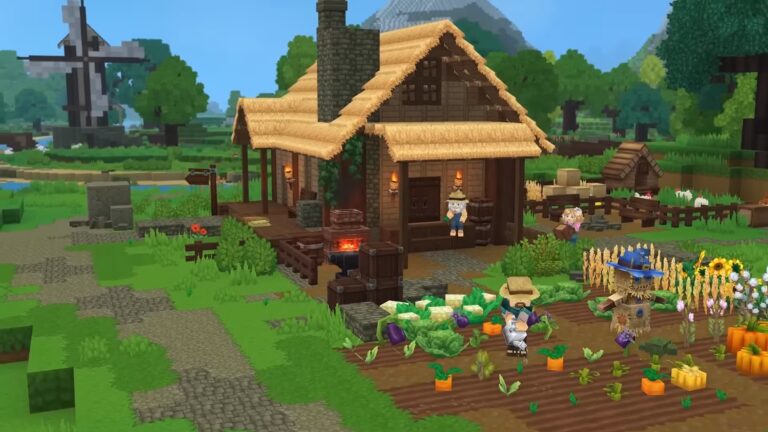
Launch day for Hytale! The game offers a next-generation multiplayer experience with its modern server architecture. If you want to create your own server to play with your friends or start a community, this guide details all the steps you need to take to set up a high-performance Hytale server (as at 13 January 2026).
A Hytale server is a dedicated instance of the game that runs continuously and allows several players to connect to the same persistent world. Unlike single-player mode, the world remains active 24/7.
Hytale features a modern technical architecture designed by Hypixel Studios :
| Features | Minecraft | Hytale |
|---|---|---|
| Java | Version 17-21 | Version 25 mandatory |
| Protocol | TCP/IP | QUIC over UDP |
| Server files | ~50 MB | 3+ GB (Assets.zip) |
| Modding | Bukkit/Spigot | Integrated native |
| Default port | 25565 TCP | 5520 UDP |
The QUIC protocol reduces network latency by around 30% compared with conventional TCP. Modding is natively integrated on the server side, with automatic synchronisation of resources.
| Players | CPU | RAM | Storage | Bandwidth | Estimated price |
|---|---|---|---|---|---|
| 5-10 | 4 cores @ 3.5GHz | 6-8 GB | 30 GB SSD | 100 Mbps | 10-20€/month |
| 10-20 | 4 cores @ 4.0GHz | 8-12- GB | 50 GB NVMe | 500 Mbps | 20-35€/month |
| 20-30 | 6 cores @ 4.2GHz | 18 GB | 80 GB NVMe | 1 Gbps | 35-55€/month |
| 30-50 | 8 cores @ 4.5GHz | 32 GB | 120 GB NVMe | 1 Gbps | 55-80€/month |
Note RAM: Minimum 6 GB recommended for a comfortable start-up, even for a small server.
Processor
Frequency (GHz) takes precedence over the number of cores. Hytale mainly uses 2-4 threads. Choose AMD Ryzen 7000 or Intel 13th/14th gen.
Storage
NVMe has a direct impact on performance:
Disk space :
HytaleServer.jar    50 MB
Assets.zip          3.2 GB
Monde initial       2-5 GB
Mods                100-500 MB
Logs                100 MB
───────────────────────────
Total départ        20-30 GB
Après 3 mois        50-80 GB
Network
Allow around 1.5 Mbps upload per player. For 10 players: 15-20 Mbps minimum.
Benefits
Disadvantages
Actual cost: ~€24/month (electricity + hardware depreciation)
Benefits
Disadvantages
Average rates :
Benefits
Disadvantages
Hytale requires Java 25 or higher. Earlier versions will not work.
Verification:
java -version
# Doit afficher : openjdk version "25.0.1"
Java 25 installation :
Windows: Download from Adoptium.net and install OpenJDK 25.
Linux (Ubuntu/Debian) :
wget -O - https://packages.adoptium.net/artifactory/api/gpg/key/public | sudo apt-key add -
echo "deb https://packages.adoptium.net/artifactory/deb $(lsb_release -cs) main" | sudo tee /etc/apt/sources.list.d/adoptium.list
sudo apt update
sudo apt install temurin-25-jdk
The main server file (~50 MB) can be downloaded via the Hytale launcher.
Windows location :
%appdata%\Hytale\install\release\package\game\latest\HytaleServer.jar
Size: ~3.2 GB
Contains all the game’s resources (textures, sounds, 3D models). Essential at start-up.
Location:
Windows : %appdata%\Hytale\install\release\package\game\latest\Assets.zip
Linux   : $XDG_DATA_HOME/Hytale/install/release/package/game/latest/Assets.zip
macOS   : ~/Library/Application Support/Hytale/install/release/package/game/latest/Assets.zip
Hytale uses QUIC over UDP on port 5520.
Windows firewall configuration :
Pare-feu Windows → Paramètres avancés
Règles entrantes → Nouvelle règle
Type : Port → UDP → 5520
Autoriser la connexion
Linux (UFW) :
sudo ufw allow 5520/udp
sudo ufw reload
Step 1: Create the folder
mkdir C:\HytaleServer
cd C:\HytaleServer
Step 2: Placing files
Copy HytaleServer.jar and Assets.zip to C:\HytaleServer\.
Step 3: Start-up script
Create start.bat:
@echo off
title Hytale Server
java -Xms2G -Xmx6G -XX:+UseG1GC -jar HytaleServer.jar --assets Assets.zip --bind 0.0.0.0:5520
pause
Adjust -Xmx6G according to your RAM.
Step 4: Launch
Double-click on start.bat. First boot :
[INFO] Starting Hytale Server v1.0.0
[INFO] Loading Assets.zip... (1-2 minutes)
[WARN] Server requires authentication
[INFO] Use command: /auth login device
[INFO] Server online on port 5520
Step 5: Authentication
In the console :
> /auth login device

[INFO] Device code: ABCD-1234
[INFO] Visit: https://accounts.hytale.com/device
Confirm on the site with the code displayed.
Step 1: Install Java 25
wget -O - https://packages.adoptium.net/artifactory/api/gpg/key/public | sudo apt-key add -
echo "deb https://packages.adoptium.net/artifactory/deb $(lsb_release -cs) main" | sudo tee /etc/apt/sources.list.d/adoptium.list
sudo apt update
sudo apt install temurin-25-jdk
Step 2: Create a dedicated user
sudo adduser --system --group --home /opt/hytale hytale
sudo su - hytale
Step 3: Prepare server
mkdir server && cd server
# Placer HytaleServer.jar et Assets.zip ici (via SFTP)
Step 4: Start-up script
Create start.sh:
#!/bin/bash
java -Xms2G -Xmx6G \
  -XX:+UseG1GC \
  -XX:MaxGCPauseMillis=200 \
  -jar HytaleServer.jar \
  --assets Assets.zip \
  --bind 0.0.0.0:5520
chmod +x start.sh
./start.sh
Step 5: Systemd service (optional)
Create /etc/systemd/system/hytale.service:
[Unit]
Description=Hytale Server
After=network.target

[Service]
Type=simple
User=hytale
WorkingDirectory=/opt/hytale/server
ExecStart=/opt/hytale/server/start.sh
Restart=on-failure

[Install]
WantedBy=multi-user.target
sudo systemctl enable hytale
sudo systemctl start hytale
Location: /opt/hytale/server/config.json
{
  "Version": 3,
  "ServerName": "Mon Serveur Hytale",
  "MOTD": "Bienvenue !",
  "Password": "",
  "MaxPlayers": 20,
  "MaxViewRadius": 32,
  "LocalCompressionEnabled": false,
  "Defaults": {
    "World": "default",
    "GameMode": "Adventure"
  },
  "ConnectionTimeouts": {
    "JoinTimeouts": {}
  },
  "RateLimit": {},
  "Modules": {},
  "LogLevels": {},
  "Mods": {},
  "DisplayTmpTagsInStrings": false,
  "PlayerStorage": {
    "Type": "Hytale"
  }
}
Key parameters :
ServerName: Name displayedMaxPlayers: Player limitsMaxViewRadius: Rendered distance (32 = high)Password: Leave empty except for private server5-10 players :
java -Xms4G -Xmx6G -XX:+UseG1GC -jar HytaleServer.jar
20-30 players :
java -Xms8G -Xmx12G -XX:+UseG1GC -XX:MaxGCPauseMillis=200 -jar HytaleServer.jar
50+ players (ZGC) :
java -Xms16G -Xmx24G -XX:+UseZGC -jar HytaleServer.jar
Hardware             500-2000€ (one-time)
Électricité/mois     10-15€
───────────────────────────────
Coût mensuel réel    ~25€
With our rental service, your Hytale server is up and running in less than 60 seconds. No technical configuration, everything is automated.
-15% off your first month with code hytale15
Error: HytaleServer has been compiled by a more recent version
Solution: Install at least Java 25.
[ERROR] Assets.zip not found
[FATAL] Cannot start server
Solution: Place Assets.zip in the server folder.
[ERROR] Port 5520 already in use
Solution: Close the other instances or change the port.
Please check :
From €12.99/month for a 6 GB VPS hosting 5-10 players comfortably.
Yes, Hytale does not work with earlier versions.
Modern technical architecture (QUIC, Java 25), integrated native modding, automatic synchronisation of resources.
10-20 players comfortably. With optimisations, up to 25-30.
Technically yes on your PC, but the internet upload is limited to 3-5 players max.
Copy the universe/ folder, config.json and the mods/ folder to the new server.
No. Hytale and Minecraft use different APIs.
100 servers maximum per Hytale account.
To find out more about your configuration, see our additional tutorials: